To get console access to your VPS (Virtual Private Server), please do the following:
- Log in to Rackzar's customer portal and navigate to the control panel for your server.
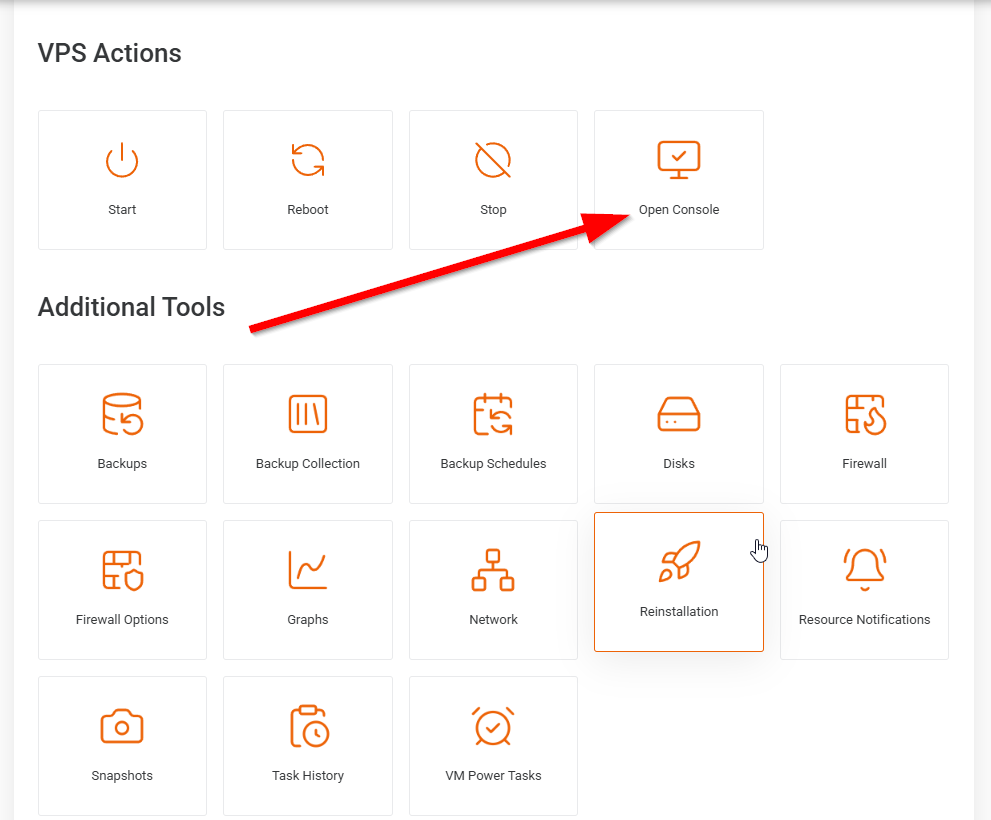
- Look for an option called "Console" or "Open Console" and click on it.
- A new window will open, displaying the console of your VPS. You may need to wait a few moments for it to load.
- Enter your server's login credentials to access the console.
- Once you have successfully logged in, you will have access to the command line interface of your server, just as if you were physically sitting in front of it.
Note that console access is typically used as a last resort if you are unable to access your server through SSH or another remote connection method. It is also important to be careful when using the console, as any changes made through it can have immediate and potentially irreversible consequences.

